
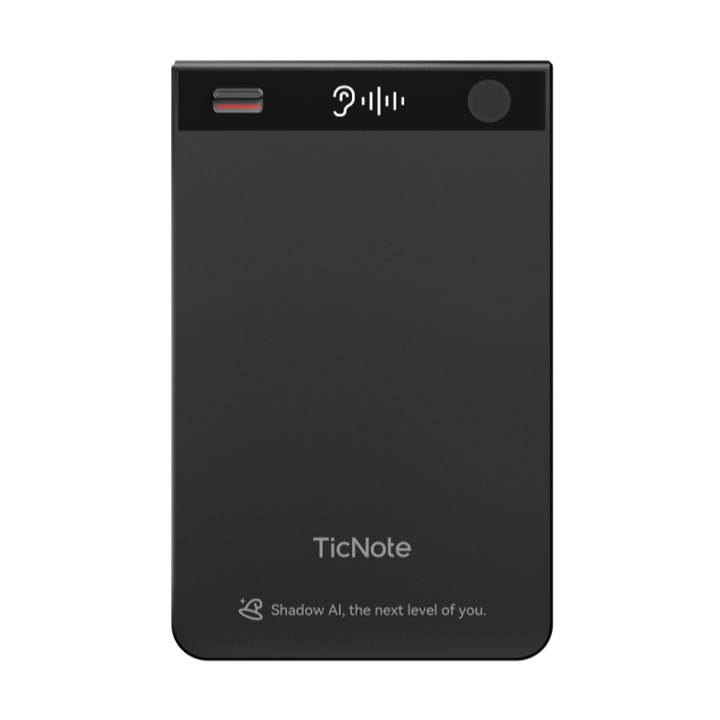
User Guide
86×55×3mm ultra-thin aluminum alloy body (Gray / Champagne Gold / Twilight Blue / Obsidian Black), built-in 64GB eMMC storage, supporting 434 hours of recording. Equipped with a toggle switch for Call/Speaker dual-mode. When the device is unbound, data on the hardware is automatically cleared.
Magnetic charging cable, Type-C interface. Cable length 300mm, output 0.4A, weight only 10g. Fully charges in 1.5 hours. On a full charge, supports continuous recording for over 20 hours and standby for over 20 days.
Magnetic ring accessory (inner diameter 45mm, outer diameter 55mm, thickness 0.6mm), designed to be attached to the back of a phone case, enabling any phone to conveniently magnetically attach the TicNote device. Strong adhesive backing, powerful magnetism, stays secure even during running and exercise.
Included product manual + warranty guide + leather case. Covers device activation, TicNote App download and binding, basic operation demonstrations and other core function instructions. Fully illustrated, getting you started with TicNote Classic in 3 minutes.
1 bone conduction + 2 omnidirectional SiMics, Call/Speaker mode switching
0.42-inch OLED screen shows recording status
Continuous recording over 20 hours, standby over 20 days
64GB eMMC large-capacity storage
Download and Log In to TicNote App
TicNote Classic is powered by the TicNote App. Search for "TicNote" on the App Store (iOS) or app store (Android), download and install. China mainland app: ticnote.cn/download; International app: ticnote.com/download.
Tip: On first launch, the app requires microphone, Bluetooth, and notification permissions for full functionality
Activate and Add Device
Long press the TicNote record button for 2 seconds to power on/off, the device will vibrate as feedback. Open the TicNote App, tap the "+ Add Device" button on the home page, and the system will automatically search for nearby TicNote devices via BLE 5.0 / Wi-Fi 2.4G.
Note: Ensure phone Bluetooth is enabled, device is within 5-10 meters of the phone, and avoid obstacles blocking the signal
Binding Successful, Ready to Use
The TicNote App shows a "Binding Successful" prompt, and the device OLED screen displays a waiting-for-recording icon. TicNote is now ready — long press the record button for 2 seconds to start/stop recording. Long press the record button for 15 seconds to reset the device.
Binding complete! You can now: long press 2s to record/stop recording; view recording files, AI transcription and summaries in the TicNote App; select Ogg recording format; playback supports Ogg, AVO (opus) formats.
Magnetic Attachment
Bring TicNote close to the back of your phone (above the camera), the magnetic system will automatically align and firmly attach — a "click" sound confirms successful attachment. For non-magnetic phones, attach the magnetic ring (inner diameter 45mm, outer diameter 55mm) to the back of the phone case for the same convenient magnetic attachment.
One-Tap Start/Stop Recording
Long press the record button for 2 seconds, the device vibrates immediately, the OLED display lights up showing recording status, and recording begins. Long press 2 seconds again to stop recording. TicNote Classic supports toggle switch dual-mode: toggle up for Call mode (requires attaching the back clip to the back of the phone); toggle down for Speaker mode (can be placed on a desktop for use).
File Transfer and Transcription
Recording files are saved in Ogg format and transferred to the TicNote App via BT 5.0 BLE or Wi-Fi 2.4G. Playback supports Ogg and AVO (opus) formats. It is recommended to maintain an effective recording distance of 5-10 meters for optimal audio quality.
Charging and Reset
The device charges via a magnetic charging cable (Type-C, 0.4A output), fully charging in 1.5 hours. On a full charge, supports continuous recording for over 20 hours and standby for over 20 days. In case of anomalies, long press the record button for 15 seconds to reset the device. When the device is unbound, data on the hardware is automatically cleared.
Switching method: Toggle up to switch to this mode.
Applicable scenarios: Phone interviews, customer service recording, remote meetings, phone consultations, and other call scenarios.
Microphone activation: 1 bone conduction microphone + 1 omnidirectional digital SiMic (positioned close to the phone earpiece to capture bidirectional call audio).
Usage: Requires attaching the back clip to the back of the phone.
Switching method: Toggle down to switch to this mode.
Applicable scenarios: Meeting notes, classroom lectures, interview recording, training presentations, and other open environments.
Microphone activation: 2 omnidirectional digital SiMics (device placed on desktop for clear audio capture).
Usage: Can be placed on a desktop for use.
* Specification data sourced from TicNote official hardware specification document